
Your espresso, dialed in.
A coffee journal for making espresso at home. It remembers every bag and every brew, so the next shot starts from what worked.
Coming to the App Store. Free, with no account, for iPhone.
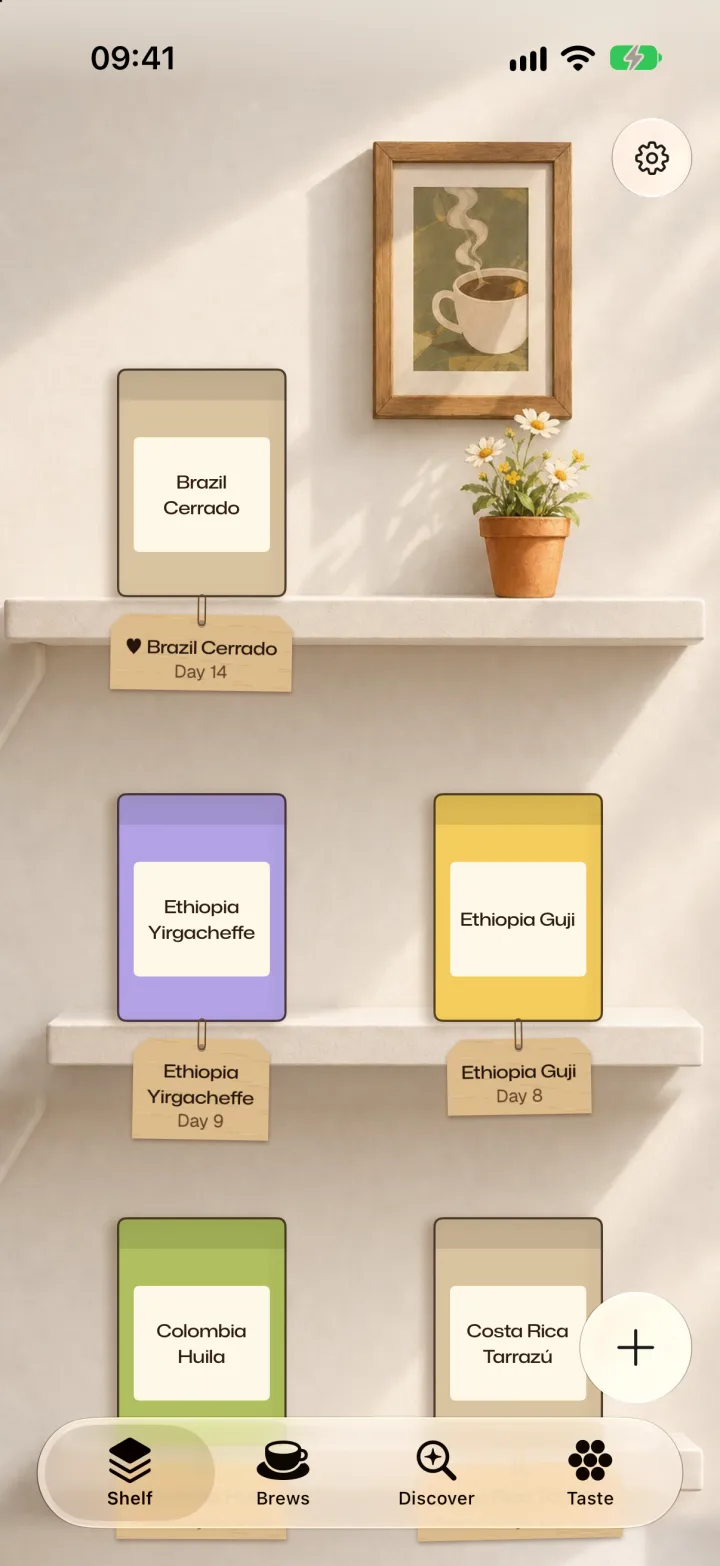
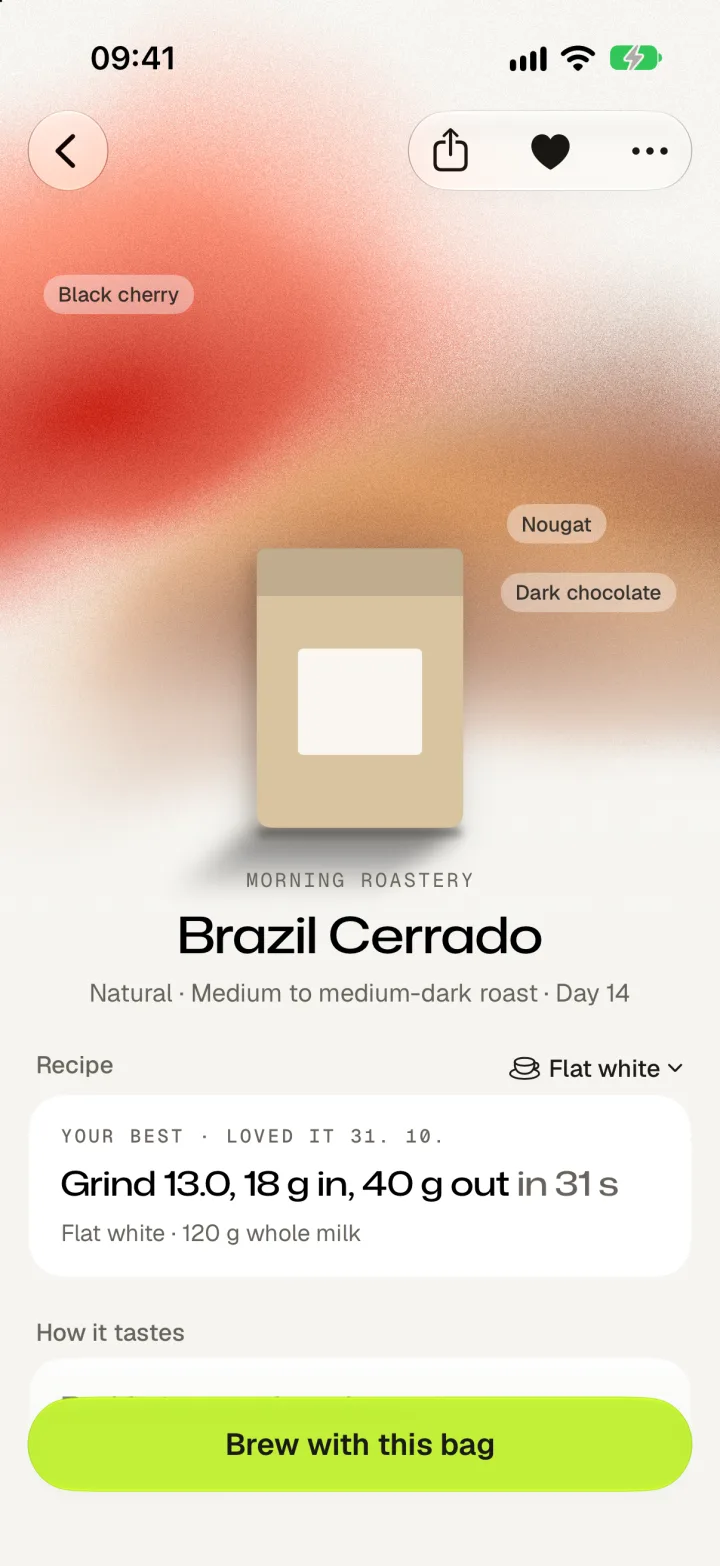
Every coffee in DialBeans has a picture nobody drew. It's worked out from what's in the bag, so the way it looks is the way it tastes.
The picture
Draw a coffee
Choose what a roaster says is in the bag, then how it was made. The picture redraws as you go.
Dark berries and stone fruit, over milk chocolate
Each coffee's name sets how its strokes spread, so two coffees with the same notes still look different. This is the same drawing the app does, running here in your browser.
What the picture is reading
Each note is a brushstroke
One stroke per note, in that note's colour, and the first note is the biggest. A blackcurrant coffee is dark violet because blackcurrant is.
Height means something
Flowers and tea rise to the top of the picture, fruit sits in the middle, and caramel and chocolate settle at the bottom. So you can read a coffee at a glance, from a shelf of them.
Wild coffees tear at the edges
A clean coffee stays calm and rounded. The wilder it is, the more the strokes bend, sharpen to points and tear.
Roast deepens the colour
A light roast lifts every colour towards its palest. A dark one pulls them towards burnt.
How it was made is in the surface
Quiet, and you'd notice it close up. Water runs across a washed coffee, and a natural looks warmed by the sun.
It fills in as you taste
It starts with what the roaster wrote. When you pick out jasmine in your cup, jasmine joins the picture. Yours ends up a little different from anyone else's.
No two alike
While you brew
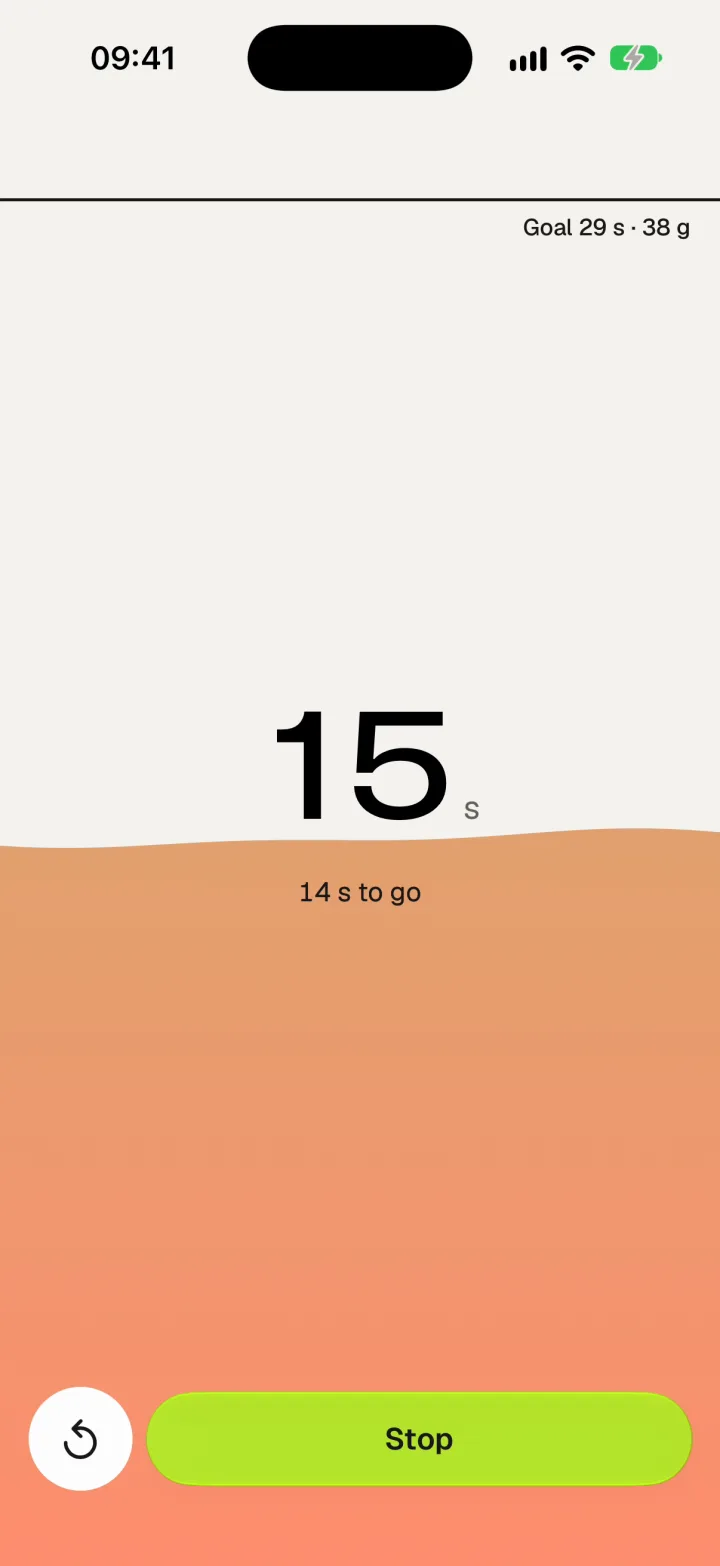
It fills the screen as the shot runs
The coffee's own colours rise up the screen and reach the line at the time on your recipe. Go over and they keep rising, so you can read it from across the kitchen. Tap anywhere to start and stop, because your hands are full.
When you share
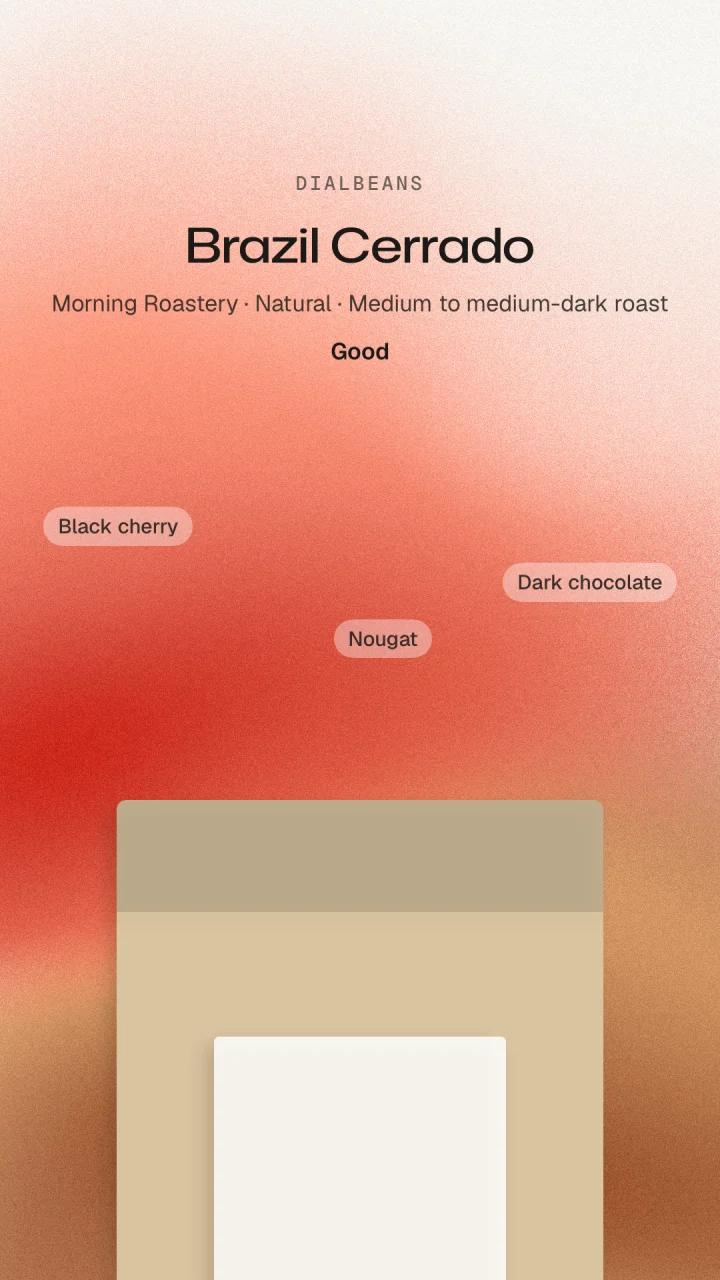
A card that looks like your coffee
Send a friend the coffee, your own photo of the cup, and what you thought of it, with a link to the beans if you know where they came from.
The app
And it helps with the next shot
The picture is what you'll notice first. The journal is why you'll keep it.
Dial it in
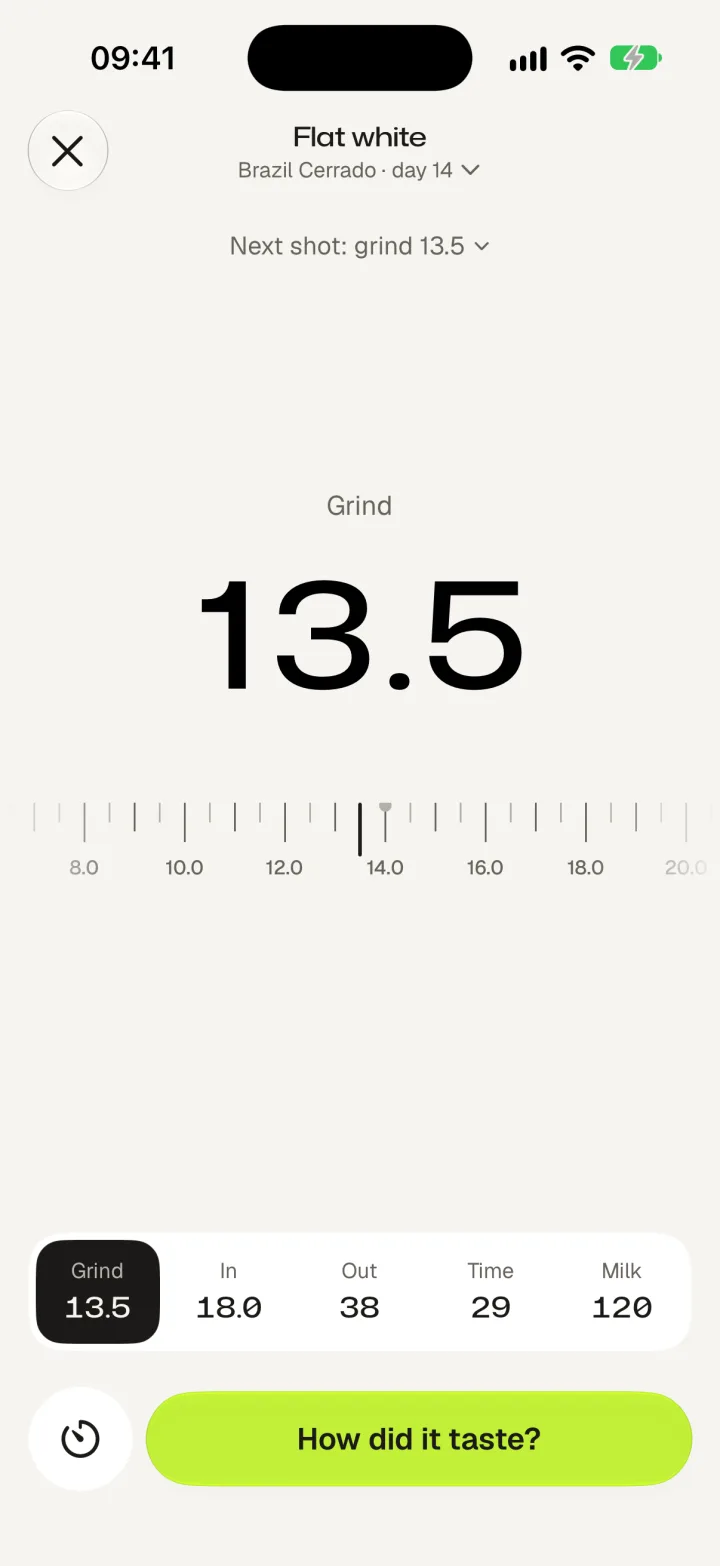
One value at a time
Grind, dose, yield and time, on one ruler, with your grinder's own numbers. A new bag starts at your usual grind, and every bag after that starts from its last brew.
Say how it tasted
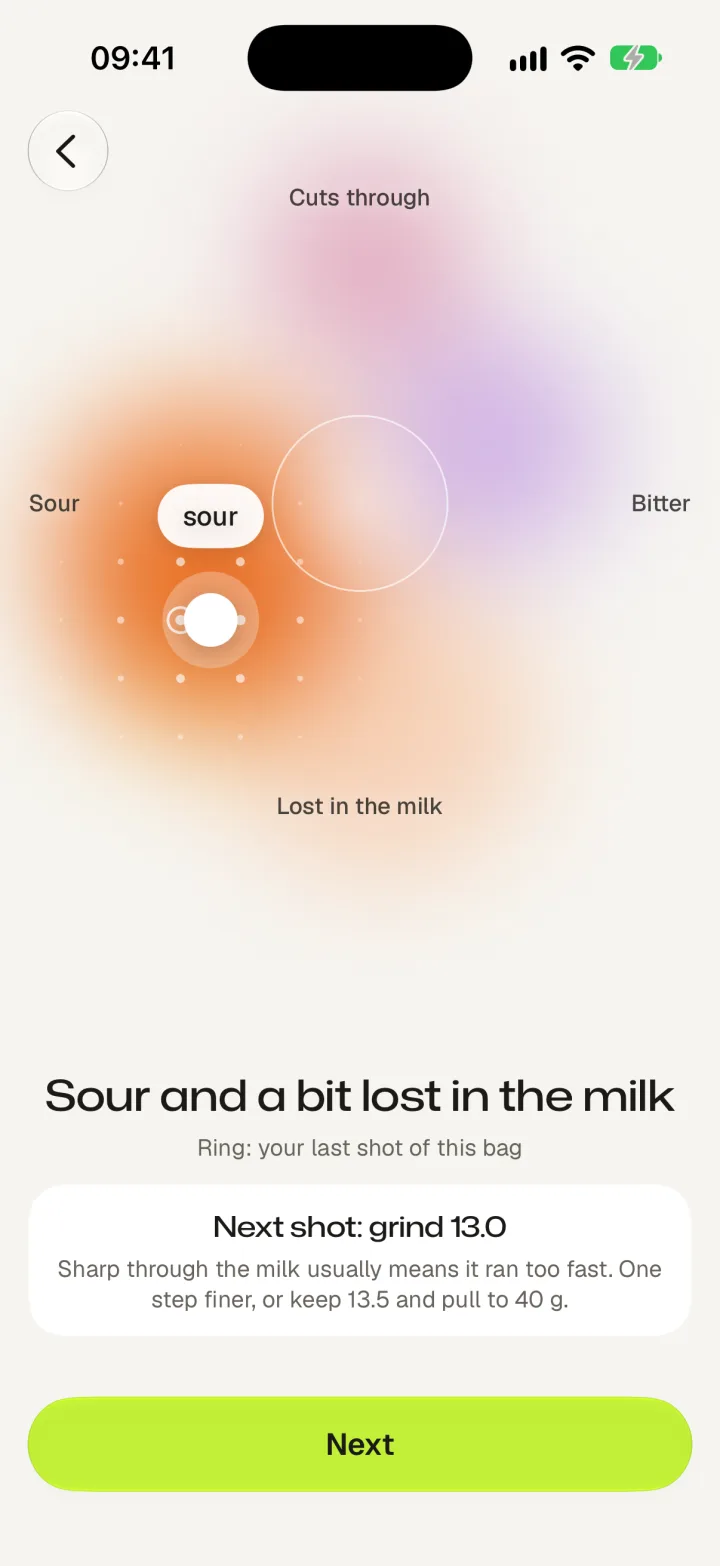
Touch what was off, and get the next step
If it tasted right, one tap. If it didn't, touch where: sour, bitter, thin or heavy. DialBeans tells you what to change, in your grinder's numbers. Not how you did.
Remember what you loved
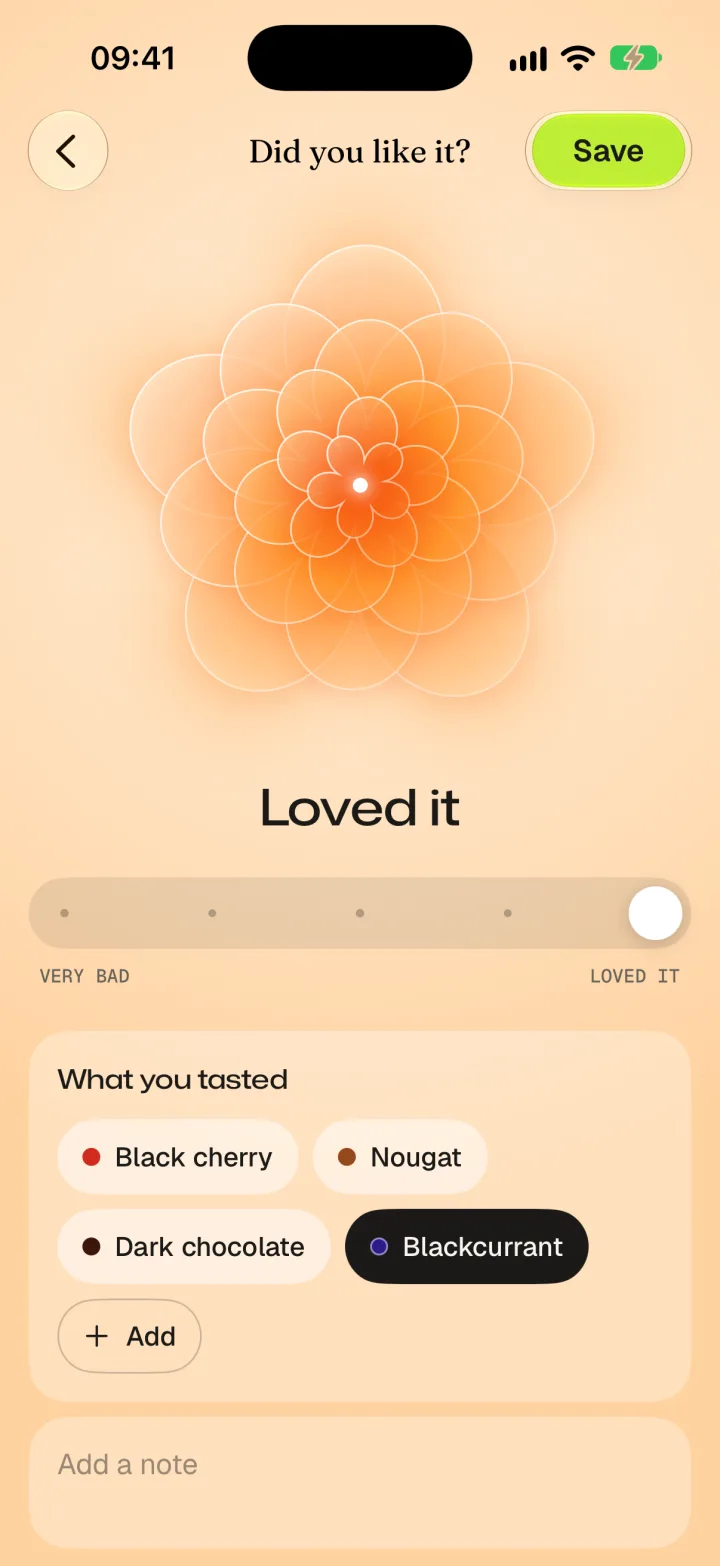
From very bad to loved it
A bloom opens as you slide, and the notes you tasted go on the coffee. Over time your ratings add up to your own taste profile.
Scan the bag
Hold a bag up to the camera. DialBeans reads the roaster, the coffee and the roast date on your iPhone, and keeps a photo for your shelf.
Find what to try next
Discover suggests coffees close to the ones you loved. Holding a bag in a shop? Scan it to see whether it's for you, going by your own ratings.
More than espresso
Flat whites, cappuccinos and lattes, plus pour-over, AeroPress, French press, moka pot and cold brew.
Your journal is yours. No account and no ads. It stays on your iPhone and in your own iCloud, and you can export it at any time.
Privacy policy
Coming to the App Store
Free, with no account. For iPhone with iOS 26 or later.